Download, setup and register Visual C++ 2010 Express Edition
Creation date: 2012-10-08 16:13:00
Last edited on: 2012-10-08 16:17:47
In this tutorial we'll download, setup and register Visual C++ 2010 Express Edition.
What is Visual C++ and Visual Studio we already know from previous tutorial. So let's start to install.
Visual C++ 2010 setup
Someone loves Microsoft for their operation systems. But as I'm often visit microsoft.com and msdn.com, I love Microsoft corporation for their beautiful websites, for their friendly interface.
Visual C++ 2010 you can download in two versions: only Visual C++ and Visual C++ inside iso image file witch contains all components of Visual studio 2010 Express.
We'll leart both.
Where you can download Visual Studio 2010 Express Edition?
Go to link www.microsoft.com/visualstudio/eng/downloads#d-2010-express. Choose Visual C++ 2010 Express. Check is it English in Download language dropbox and push Install now.

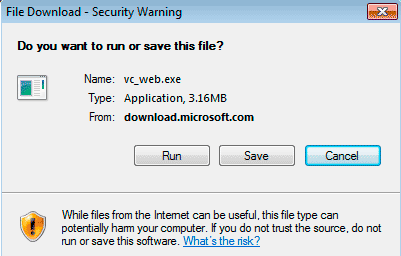
Modal window will appear. You need to choose: save or immediately run installation file vc_web.exe.
When you'll start vc_web.exe, Visual C++ 2010 Express installation window will open. In following windows you'll need to choose: : "Send inforation about setup to Microsoft", accepting the license, setup optional products (Silverlight and Microsoft SQL Server Express) and, Visual C++ 2010 Express installation folder. My setup options you could see in the images below. Visual C++ I setup in folder c:\p\studio:
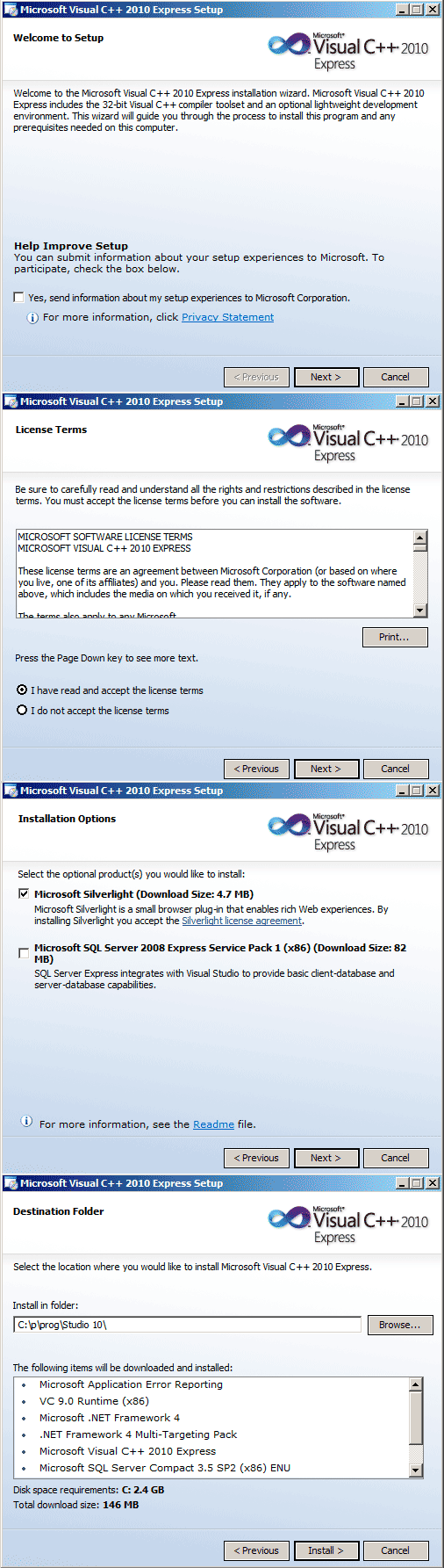
Installation process will start. During setup main archive will be downloaded from Internet.

We just looked at the setup of Visual C++ 2010 Express Edition directly from Microsoft website. But there is another way.
Visual C++ 2010 Express Edition setup from iso image file
Also you can setup Visual C++ 2010 Express from iso image file which you can download from the same link.
To download iso image you need to choose Visual Studio 2010 Express All-in-One ISO. Then choose English language and click Install now. Visual studio iso image file downloading will start When iso downloaded, you can open it with any emulator program. For example with Daemon tools lite (which I am using).
Visual С++ 2010 Express registration
After Visual C++ 2010 setup user get trial license for 30 days. To get full license you need to register Visual C++ 2010 Express.
You can register Visual C++ through menu Help → Register product. If you have problems during registration, write it in comments and I will write this part of the lesson with more detailed instructions for registering Visual C++ 2010 Express.
That's it.